Hidden Failures in Plain Sight: How Budget Hosts Mishandle SSL and What It Costs You
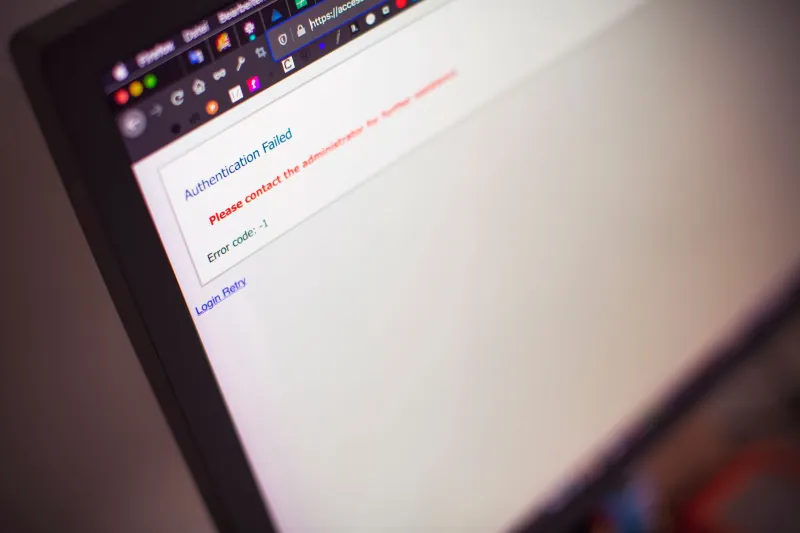
There is a particular kind of dread that comes with opening your browser on a Monday morning and seeing a red warning screen where your business website used to be. The message — "Your connection is not private" — is not a hacker's calling card. More often than not, it is an expired SSL certificate, and in many cases, the host you trusted to manage it simply did not.
For thousands of US-based small business owners and independent site operators, free SSL has become table stakes. Hosting providers advertise it prominently, often bundling Let's Encrypt certificates into their cheapest shared plans as a selling point. What those advertisements rarely explain is the operational infrastructure required to keep those certificates valid, renewed, and correctly deployed — and how dramatically that infrastructure varies between providers.
The Architecture Behind "Free" HTTPS
Let's Encrypt, the nonprofit certificate authority backed by organizations including the Electronic Frontier Foundation and Mozilla, issues domain-validated certificates at no cost. These certificates are entirely legitimate, widely trusted by browsers, and used by millions of sites globally. The catch is not the certificate itself — it is the renewal cycle.
Unlike traditional certificates that carry one- or two-year validity windows, Let's Encrypt certificates expire every 90 days by design. The intent is to encourage automation: a properly configured server should renew certificates automatically, with no human intervention required. When that automation works, users never notice. When it fails, sites go offline without warning.
Budget hosting providers frequently deploy shared infrastructure across thousands of accounts simultaneously. Automated renewal scripts must run reliably across every one of those accounts, handle domain validation edge cases, and surface failures in a way that triggers corrective action. Providers investing heavily in infrastructure engineering tend to do this well. Those competing primarily on price often do not.
When Sites Go Dark: Documented Consequences
Consider the experience of a regional law firm in the Midwest that relied on a budget shared host for its client-facing website. Their SSL certificate expired on a Friday evening. The host's automated renewal process had silently failed three weeks earlier due to a DNS propagation issue following a routine nameserver update. No alert was sent. No dashboard warning appeared. The firm's site remained inaccessible — and flagged as "Not Secure" by Chrome — for the entire weekend before a staff member noticed on Monday.
The consequences extended beyond embarrassment. Prospective clients who encountered the warning page during that window had no way to distinguish an expired certificate from a compromised site. Several later reported that they had simply searched for another firm.
This pattern is not isolated. In e-commerce, the stakes are considerably higher. A boutique online retailer operating on a budget WooCommerce host reported a certificate lapse during a promotional campaign. Shopping cart sessions were interrupted, payment processors flagged the domain, and the resulting revenue loss over a 14-hour outage exceeded the annual cost of a managed hosting plan that would have included proactive certificate monitoring.
How Hosting Tiers Approach Certificate Management Differently
The disparity in SSL reliability across hosting tiers is not accidental — it reflects deliberate infrastructure investment decisions.
Entry-level shared hosting typically provides Let's Encrypt certificates through cPanel's AutoSSL or a proprietary equivalent. Renewal is automated in theory, but the automation is only as reliable as the underlying server environment. On crowded shared servers, resource contention, misconfigured cron jobs, or domain validation failures can interrupt the renewal process. Customer support at this tier is rarely equipped to diagnose certificate issues proactively.
Mid-tier managed hosting and VPS providers generally offer more robust renewal pipelines, with monitoring layers that detect failed renewals before expiration. Some providers in this category send email alerts 30 days out, 14 days out, and again at seven days — giving site owners a meaningful window to intervene if automation has failed.
Premium managed WordPress and cloud hosting platforms frequently go further, abstracting certificate management entirely. Providers like Kinsta, WP Engine, and Cloudflare-integrated hosts handle issuance, renewal, and deployment with enterprise-grade reliability, often backed by SLA commitments that extend to HTTPS availability.
The critical observation here is not that free SSL is inherently unreliable. It is that the reliability of any certificate depends almost entirely on the operational competence of the host deploying it.
What Expiration Looks Like in Practice
Browser behavior during an SSL lapse is unforgiving. Chrome, Firefox, and Safari all display full-page interstitial warnings that require users to actively bypass them — a barrier most visitors will not cross. Google's search crawlers note certificate errors and may flag or demote affected pages. For sites running any kind of authenticated session — member portals, checkout flows, contact forms using HTTPS submission — functionality breaks entirely.
The reputational damage compounds the technical problem. Users who encounter a certificate warning once are unlikely to return, even after the issue is resolved. For service businesses that depend on first impressions, that window of downtime carries consequences that outlast the outage itself.
A Pre-Commitment Checklist for Evaluating SSL Reliability
Before signing a hosting contract — or before renewing with your current provider — the following verification steps can significantly reduce your exposure to certificate-related failures.
1. Ask explicitly about renewal automation. Request documentation on how the provider handles Let's Encrypt renewals. Responsible hosts can describe their renewal pipeline and failure-handling procedures in concrete terms.
2. Test their alerting behavior. Ask whether you will receive advance notification if a certificate renewal fails. If the answer is vague or negative, treat that as a red flag.
3. Check renewal history for your current certificate. Tools such as crt.sh allow you to view the public issuance history for any domain. Gaps or irregular renewal intervals can indicate past failures.
4. Verify certificate coverage for all subdomains. Many sites run on both the root domain and www subdomain, as well as staging environments or API subdomains. Confirm that your host's SSL provisioning covers every active subdomain, not just the primary domain.
5. Understand your recourse if renewal fails. Know the support escalation path before you need it. A host that offers only ticket-based support with 48-hour response windows is not equipped to handle a Friday-night certificate lapse effectively.
6. Consider a secondary monitoring layer. Services such as UptimeRobot, StatusCake, and Freshping offer SSL expiration monitoring as part of their free tiers. Configuring an independent alert — separate from your host — provides a meaningful safety net at no cost.
The Real Cost Calculation
Free SSL is not a feature. It is a responsibility. When a hosting provider offers it without the operational infrastructure to maintain it reliably, the cost of that failure transfers entirely to you: in lost traffic, lost revenue, lost trust, and the entirely avoidable scramble to restore a site that should never have gone offline.
For site owners evaluating budget hosting options, the SSL question deserves the same scrutiny as uptime guarantees, server location, and support response times. The certificate itself costs nothing. The failure to manage it properly can cost considerably more than the money you saved on the plan.
At HostingFlame, we consistently find that the providers worth recommending are those who treat SSL management as infrastructure — not as a checkbox marketing feature. That distinction, invisible until something goes wrong, is often the most consequential difference between a host that serves your business and one that exposes it.